When Kenyans ask how much is Starlink WiFi in Kenya, they usually mean one of three things. Some people mean the monthly Starlink internet subscription. Others mean the total cost of the Starlink kit that creates WiFi in the house. A third group means the cost of extending WiFi to all rooms, guest areas, offices, classrooms, or outdoor spaces after the Starlink dish is installed.
The important point is this: Starlink is the satellite internet service, while WiFi is the local wireless network created by the Starlink router or by additional networking equipment connected to it. Your phone, laptop, TV, CCTV, and POS machine do not connect directly to the satellite. They connect to WiFi. The Starlink dish and router then carry that traffic to the satellite network.
- What people mean by Starlink WiFi price
- Quick Starlink WiFi cost answer
- Starlink WiFi vs Starlink internet subscription
- Kit, router, and monthly fee explained
- WiFi coverage inside the house or office
- When you need mesh WiFi or extra access points
- Starlink WiFi for homes, businesses, and rentals
- Hidden costs that affect WiFi quality
- How to choose the right Starlink WiFi setup
- How to pay and manage monthly service
- Related Starlink Kenya guides
- Frequently asked questions
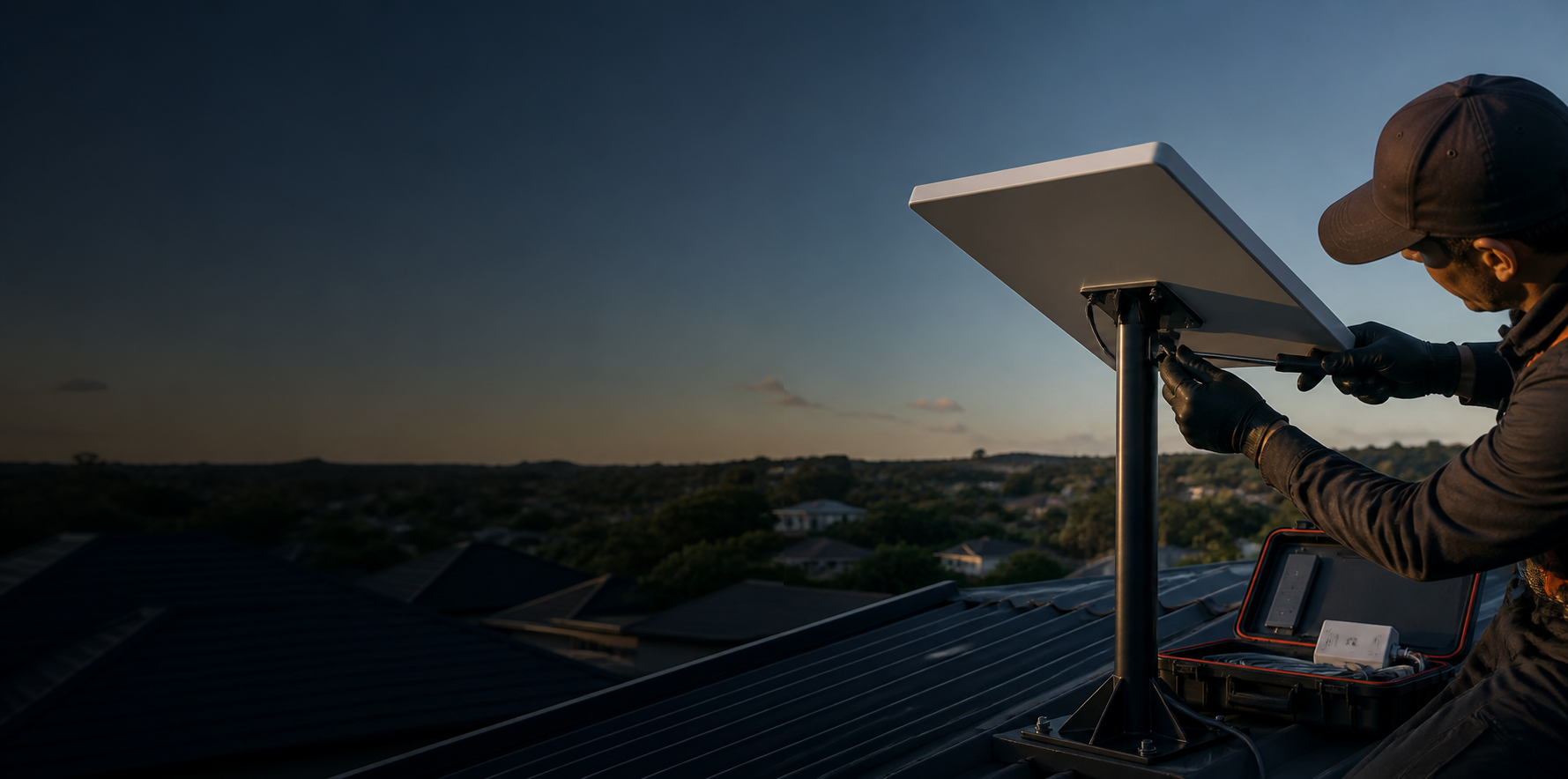
What people mean by Starlink WiFi price
The phrase “Starlink WiFi” is popular because users experience the service as WiFi inside a home or office. Technically, the WiFi network is only one part of the setup. The full service includes the satellite dish, router, cable, Starlink account, monthly plan, and local installation. If any part is wrong, the WiFi experience suffers even if the subscription is active.
A buyer should therefore ask a more complete question: what will it cost to get Starlink installed, activated, and broadcasting strong WiFi where people actually need it? That answer includes kit price, monthly plan, delivery, mounting, cable routing, router location, and sometimes mesh WiFi. For package context, start with our Starlink Kenya packages guide.
Quick Starlink WiFi cost answer
As of this June 2026 update, official indexed Starlink Kenya information has shown Residential service around Ksh 4,000 per month and hardware around Ksh 27,000. Other sources and reseller pages may show different package names, rental offers, Roam prices, Mini kit offers, shipping, activation, or installation-inclusive bundles. The only final price is the live checkout or written quote for your exact site.
If you want a simple planning range, think in layers. First, budget for the kit. Second, budget for the monthly plan. Third, budget for professional installation if the dish needs roof mounting or if you want cable routing done neatly. Fourth, budget for WiFi extension if your property is large. Those layers explain why two people can both say “Starlink WiFi” but receive very different quotes.
Starlink WiFi vs Starlink internet subscription
The monthly Starlink subscription pays for internet access. WiFi is how that internet is shared locally. If you cancel or fail to pay the monthly plan, the router may still broadcast a network name, but the internet service will not work normally. If the monthly plan is active but the router is placed badly, the internet may be fast near the router and weak in bedrooms, guest rooms, classrooms, or outdoor sitting areas.
This distinction helps with troubleshooting. Slow speed near the router may be a Starlink signal, obstruction, congestion, or plan issue. Weak speed far from the router is often a WiFi coverage issue. For homes and businesses, solving the right problem saves money. You do not always need a higher Starlink plan; sometimes you need better router placement or mesh WiFi.
Kit, router, and monthly fee explained
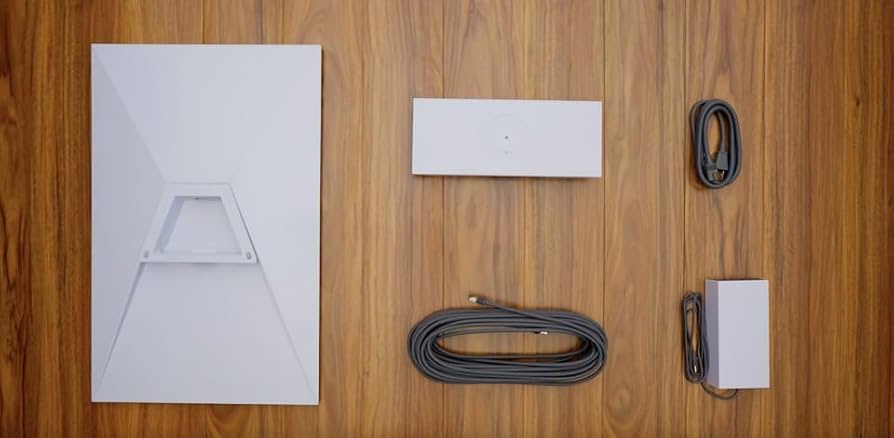
The Starlink kit normally includes the hardware needed to receive the satellite signal and create a basic WiFi network. Depending on generation and package, that may include the dish, router, cable, and base. The monthly fee keeps the Starlink account active. Delivery and taxes depend on the checkout or reseller route. Installation is separate unless a package specifically says it is included.
When comparing offers, ask whether the price includes the first month, shipping, mounting, router setup, and after-sales support. Some sellers quote only the kit. Others quote a complete installed package. The lower number is not always cheaper if you later have to pay for mounting, transport, troubleshooting, and WiFi extension separately.
| Item | Needed for Starlink WiFi? | Notes |
|---|---|---|
| Starlink kit | Yes | Receives satellite internet and includes router hardware |
| Monthly plan | Yes | Keeps service active |
| Installation | Usually recommended | Important for roof mounting and cable routing |
| Mesh WiFi | Optional | Useful for larger homes, offices, lodges, and schools |
| Power backup | Optional but useful | Protects connection during power cuts |
WiFi coverage inside the house or office
The Starlink router’s WiFi range depends on building materials, walls, floors, router position, interference, and the number of users. A small open house may work with one router. A maisonette, stone building, large office, school, guesthouse, or lodge may need a mesh system or wired access points. This is not a failure of Starlink; it is normal WiFi physics.
For best performance, place the router centrally, away from thick walls, metal cabinets, and electrical interference. Do not bury it in a corner because the dish cable entered there. If cable routing allows, place the router where users are. If not, run Ethernet or use mesh nodes. A proper installer will think about both the sky view outside and the WiFi experience inside.

When you need mesh WiFi or extra access points
You may need mesh WiFi if signal drops in bedrooms, upstairs rooms, detached offices, classrooms, guest cottages, outdoor seating areas, or CCTV points. Mesh WiFi spreads the connection across multiple nodes. Wired access points can be even better for larger or business sites because they reduce wireless backhaul loss and improve stability under many users.
Do not buy extra WiFi equipment blindly. First test signal and speed near the router, then test where users complain. If speed is good near the router but poor in a far room, solve WiFi coverage. If speed is poor everywhere, inspect Starlink obstruction, plan status, router health, and network congestion. For professional setup, use Starlink Kenya installers.
Starlink WiFi for homes, businesses, and rentals
Home users normally care about streaming, schoolwork, video calls, gaming, and stable phone WiFi. Businesses care about point-of-sale systems, cloud software, WhatsApp support, CCTV, staff laptops, guest WiFi, and backups. Short-term rentals and lodges care about guest satisfaction and reliable coverage in rooms. Each use case changes the WiFi design.
A home may only need the standard router. A business may need separate staff and guest networks. A lodge may need outdoor access points and bandwidth rules. A school may need controlled access and coverage in labs. Starlink can provide the upstream internet, but the local WiFi design determines whether users experience it as fast and dependable.
Hidden costs that affect WiFi quality
Hidden costs include mounts, poles, cable clips, conduit, waterproof entry points, surge protection planning, router relocation, mesh nodes, Ethernet adapters, power backup, and return visits. These are not always included in a kit price. They become important when the property is large, the roof is complex, or the router must serve many rooms.
The cheapest quote may skip these details, leaving you with a working dish but poor WiFi. A better quote explains what is included and what is optional. Before choosing, ask the installer where the dish will go, where the cable will enter, where the router will sit, and how WiFi will reach the main usage areas. That conversation prevents disappointment.
How to choose the right Starlink WiFi setup
Choose by location, user count, building size, and whether the kit will move. A small fixed home can start with Residential and basic installation. A remote worker may need power backup and careful router placement. A shop or office may need a stronger local network. A traveler or field team may need Roam or a portable package. A lodge or school should think in terms of site-wide connectivity, not just dish activation.
Use our Starlink cost in Kenya guide for the total budget, Starlink phone connectivity guide if your main devices are smartphones, and where to buy Starlink in Kenya if you are comparing direct purchase with reseller support.
How to pay and manage monthly service
Starlink support information identifies mobile money as an option for Kenya, Ghana, and Rwanda customers, and user-supplied references such as the Spacelink Kenya guide explain practical M-Pesa payment steps for Starlink. Inside the Starlink app, look for Billing or Payment Methods, then confirm the currently available options. Do not rely on an old PayBill number from a screenshot; use the prompt shown in your account.
If you pay through a reseller, confirm whether they are collecting payment for hardware, installation, monthly service, or support. Keep receipts and account ownership clear. The safest arrangement is to own or control the Starlink account tied to your site, especially if you will manage billing long term.
Related Starlink Kenya guides
For more detail, read How much does Starlink cost in Kenya?, How to pay Starlink with M-Pesa, Can Starlink connect directly to a phone in Kenya?, Starlink Kenya packages, and Starlink Kenya installation.

Example Starlink WiFi budgets in Kenya
A small household with a clear roofline may need the Starlink kit, the monthly plan, delivery, and a basic mount. This is the simplest Starlink WiFi budget. A larger home may add mesh WiFi because the router cannot cover upstairs rooms or detached spaces. A business may add Ethernet, access points, guest WiFi separation, and backup power. A lodge may need outdoor coverage and multiple access zones. These examples show why “how much is Starlink WiFi” depends on the property.
For a fixed rural home, the best value is usually a stable Residential setup with careful router placement. For a rental property, the cost should include guest-friendly WiFi coverage and a simple password process. For a school, the budget should include network controls and coverage where learning happens. For a shop, the priority may be stable POS and WhatsApp Business access. For a farm, the router may need to serve both the house and office, which can require extra networking equipment.
If you are comparing quotes, ask each provider to describe the WiFi outcome, not only the hardware. A useful quote says where the dish will be mounted, where the router will be placed, whether mesh is included, how many rooms or buildings are expected to receive strong signal, and what happens if coverage is weak after installation. That level of detail is more valuable than a low headline price that only covers activation.
Frequently asked questions
How much is Starlink WiFi in Kenya?
Starlink WiFi normally means the WiFi created by an active Starlink kit. Budget for the Starlink hardware, monthly plan, delivery, and installation. Official indexed Kenya pricing has shown Residential monthly service around Ksh 4,000 and hardware around Ksh 27,000, but live checkout should be confirmed.
Is Starlink WiFi unlimited in Kenya?
Some Starlink packages are advertised as unlimited high-speed data, while other bundles or mobility plans may have limits or priority-data rules. Always check the exact package before paying.
Can I use Starlink WiFi on my phone?
Yes. Once the kit is active, phones connect to the Starlink router over WiFi like any normal wireless network.
Does one Starlink router cover a whole house?
It depends on wall thickness, floor plan, router placement, and building size. Larger homes, offices, lodges, and schools may need mesh WiFi or additional access points.